What does upgrading to Optimizely CMS 13 mean for your organisation?
Optimizely CMS 13 introduces a new editing experience, an updated technical foundation and closer integration with Optimizely Graph and Opal.
For organisations already using Optimizely, moving to CMS 13 is more than a routine version upgrade. It is an opportunity to review how editors work, how content is structured and how the platform should support future needs.
Considering an upgrade to CMS 13?
Epinova has specialised in Optimizely since 2007. Today, we are an Optimizely Platinum Partner and one of Europe’s largest Optimizely specialist environments.
We can review your current platform, dependencies and priorities and help you identify what an upgrade could mean for your organisation.
Book a CMS 13 review at Opticon London
What changes with Optimizely CMS 13?
A new editing experience
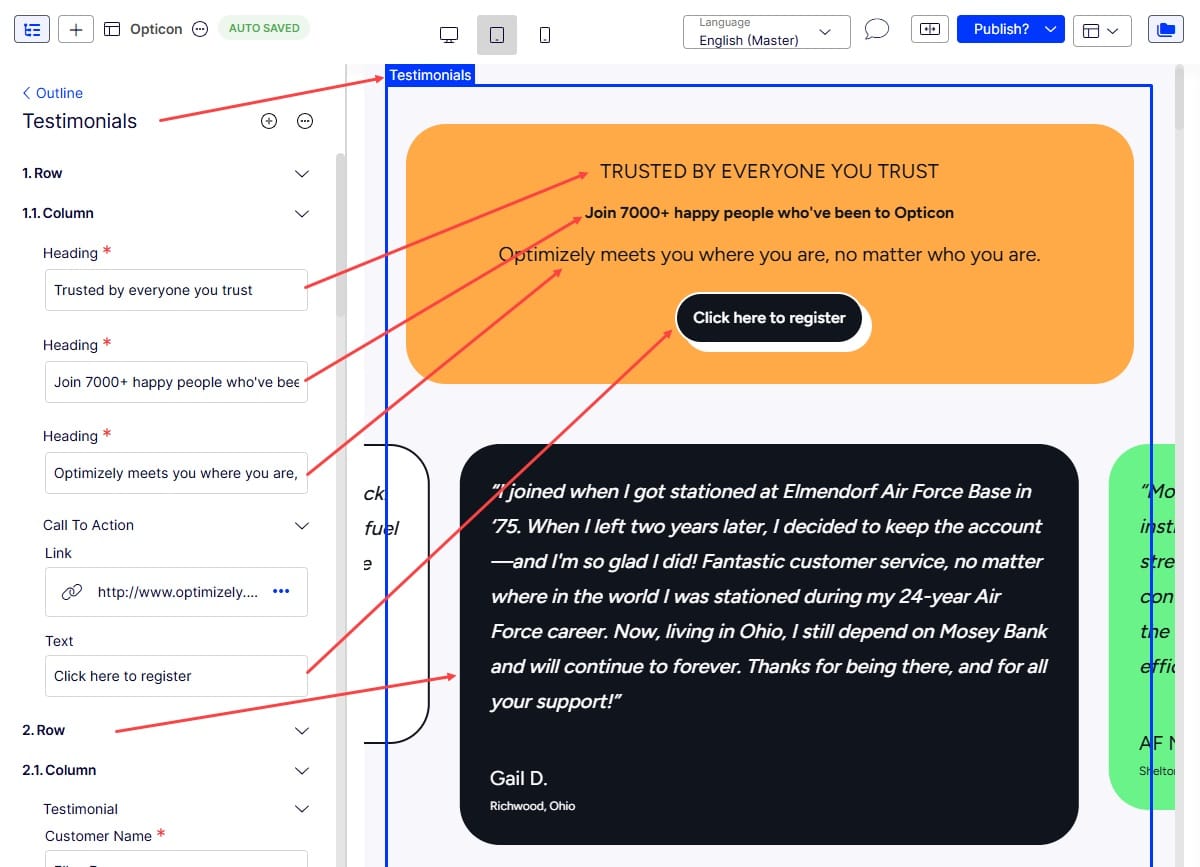
Visual Builder becomes the main editing experience in CMS 13. Editors can compose pages using reusable sections and components, preview changes and edit content within the same interface.
This creates a clearer connection between the content being edited and the finished experience. It can also give editors more control over page layouts within the frameworks defined for the solution.
Content structured for reuse
Optimizely Graph plays a central role in CMS 13. It indexes and delivers structured content, making it easier to use content across websites, applications and other digital channels.
This can be particularly valuable for organisations operating across several markets, brands or business areas. Content can be managed centrally while still being adapted to local needs.
AI support with Optimizely Opal
CMS 13 connects with Optimizely Opal, which can support tasks such as content creation, translation and workflow automation.
AI acts as support within the editorial process. Editors remain responsible for reviewing, adapting and publishing the content.
An updated technical foundation
CMS 13 is built on .NET 10 and introduces changes to APIs, integrations and the application model.
This provides a modern foundation for further development. It also means that custom code, third-party packages and integrations must be reviewed before an upgrade begins.
Planning an upgrade to CMS 13
The scope of an upgrade will depend on how your current solution is built and which Optimizely products, integrations and extensions it uses.
A review should normally include:
-
Your current CMS version and technical architecture
-
Custom functionality and third-party packages
-
Existing use of Search & Navigation or Optimizely Graph
-
Integrations and content models
-
Editorial workflows and requirements across markets
This provides a better basis for deciding whether CMS 13 should be handled as a focused upgrade or as part of a wider platform modernisation.
Frequently asked questions about Optimizely CMS 13
Is CMS 13 simply a new editing interface?
No. Visual Builder is one of the most visible changes, but CMS 13 also introduces a new technical foundation, Optimizely Graph integration and changes to APIs and the application model.
Do we have to build a headless solution?
No. CMS 13 supports headless content delivery through Optimizely Graph, but it also supports traditional ASP.NET MVC rendering. The right approach depends on your existing platform and future needs.
What does a CMS 13 review include?
We review your current platform, technical dependencies, editorial requirements and business priorities. The aim is to give you a clearer picture of what needs to change and how to plan the next steps.